

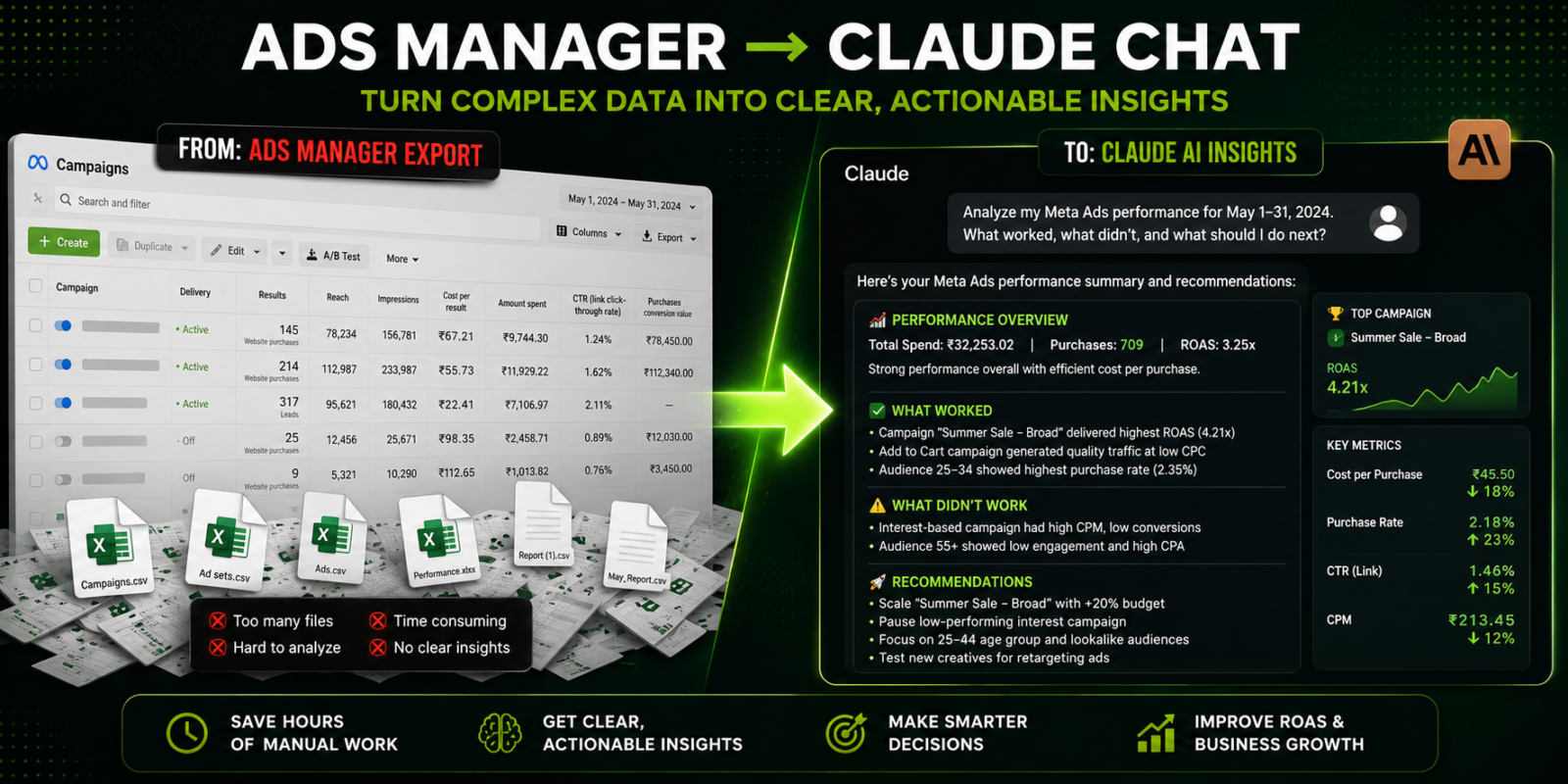

TL;DR — Connect Meta’s official Ads MCP connector to Claude (mcp.facebook.com/ads) via a quick OAuth login, then run any of the 10 ready-made reporting prompts below. Setup takes about 10 minutes, needs a paid Claude plan, and — because it’s Meta’s own sanctioned connector — carries none of the ban risk the old scraper tools did.
Every media buyer knows the morning ritual: open Ads Manager, export yesterday’s numbers, clean them in a sheet, calculate the day-over-day changes, and write the little summary of what moved and why. Thirty to forty-five minutes, every day, before any real optimisation happens.
As of April 29, 2026, that ritual is optional. Meta launched an official Meta Ads MCP connector that plugs your ad account straight into Claude — no API keys, no Python, no spreadsheet. Once it’s connected, Meta Ads reporting becomes a conversation: you ask Claude for the report you used to build by hand, and it reads live campaign data and writes it for you. This guide covers the setup, ten daily reporting workflows with copy-paste prompts, report templates for different stakeholders, how to make it fully hands-off, and what it actually costs.
What is Claude + Meta Ads MCP reporting?
MCP — the Model Context Protocol — is the standard that lets Claude talk to outside tools. Meta’s official Ads MCP connector, live since April 2026, exposes roughly 29 tools covering performance reporting, campaign management, catalog data, and account diagnostics. In plain terms: once connected, Claude can pull your live Meta Ads numbers and analyse them inside a normal chat.
That’s the shift. Before this, connecting Claude to Meta meant building your own Marketing API integration or risking an unofficial scraper connector. Now it’s a first-party, sanctioned OAuth connection — the same kind you’d use to log into any app with Facebook. Claude stops being a thing you paste exports into and becomes something that reads the account directly.
Reporting is read-only by nature — keep it that way. The connector can also create and edit campaigns (anything it creates lands paused by default), but for a daily reporting workflow you only need the read side. Grant the minimum access that does the job.
Why automate daily reporting?
Manual reporting doesn’t just cost time — it costs timing. A creative that’s fatiguing or a campaign quietly overspending shows up in the numbers days before most teams notice, because nobody can eyeball frequency and CTR trends across dozens of ads every single morning. Automated daily checks catch those shifts while they’re still cheap to fix.
| Reporting task | By hand | With Claude + MCP |
|---|---|---|
| Export & clean data | 30–45 min | 0 (live) |
| Calculate day/week changes | 15–25 min | Seconds |
| Spot trends & anomalies | 15–20 min | Instant |
| Write the summary | 15–20 min | Seconds |
Times above are typical for a multi-campaign account; your mileage varies with complexity. The point holds either way — a task that ran to the better part of an hour collapses to a single prompt, and it happens consistently instead of “when someone gets to it.”
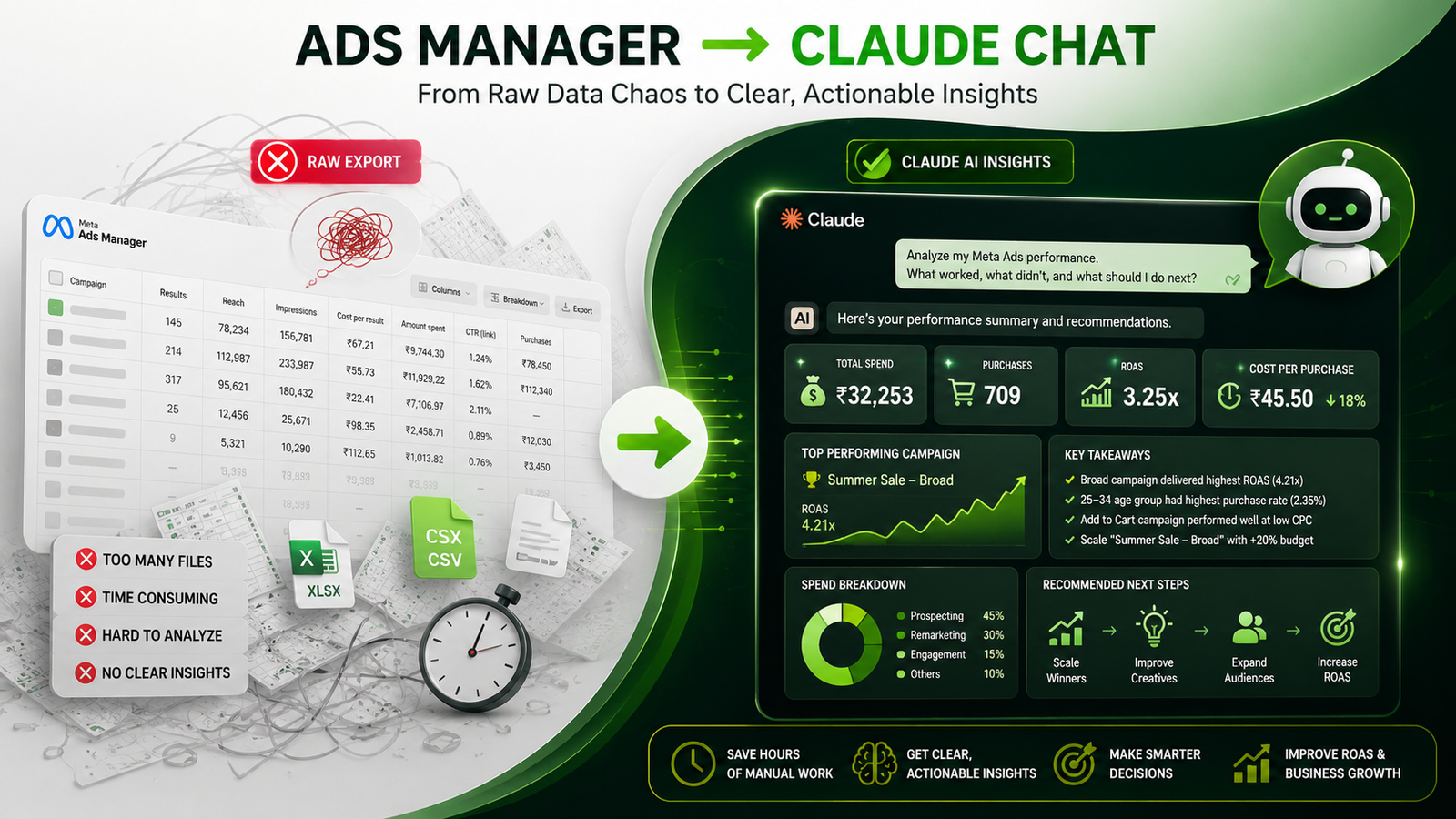
How to connect Meta Ads to Claude (10 minutes)
You’ll need a paid Claude plan (Pro, Max, or Team — the free tier can’t reliably add custom connectors) and admin access to your Meta ad account. That’s it.
Open Claude’s connector settings
In the Claude app, go to Settings → Connectors (on desktop: Claude Desktop → Settings → Connectors). This is where custom connectors are added.
Add Meta’s official Ads connector
Add a custom connector using Meta’s official server URL:
https://mcp.facebook.com/ads
Use the official URL only. This is the sanctioned first-party endpoint — see the safety note further down on why that matters.
Log in with Meta (OAuth)
Claude will prompt you to sign in through Meta’s Facebook Business login and authorise access to your ad account. Approve it, and pick the ad account(s) you want Claude to see. No keys to copy, no developer app to create.
Test with one prompt
Start a new chat and ask: “Pull yesterday’s spend, ROAS and CTR for every active campaign.” If Claude returns live numbers, you’re connected. If it asks you to upload a file instead, the connector isn’t active — re-check the steps.
That’s the whole setup. From here, everything below is just prompts. Save the ones you like — in Claude you can pin them as starters so your daily report is one click away.
10 daily reporting workflows (with prompts)
Each of these is a self-contained prompt. Run one, run several, or chain them into a single morning brief. Start with the first three — they cover most of what a daily check needs — and add the rest as you get comfortable.
Daily performance summary
Your morning headline: yesterday’s spend, ROAS, CPA and conversions across all active campaigns, with day-over-day and same-day-last-week comparisons, plus the top and bottom performers.
Summarise yesterday's Meta Ads performance across all active
campaigns: spend, conversions, ROAS, CPA. Compare to the prior
day and the same weekday last week. Name the top 3 and bottom 3
campaigns, and flag anything more than 20% off target. Keep it
to a skimmable briefing with the key numbers in bold.
Creative fatigue watch
Catches tiring creatives early — before CTR fully collapses and CPA climbs — by scanning for declining click-through and rising frequency.
Check all active ads for creative fatigue. Flag any with CTR
down more than 15% over the last 3 days, or frequency above 3.
Rank the flagged ads by daily spend so I fix the expensive ones
first, and suggest which need a refresh this week.
Budget pacing & reallocation
Keeps spend on track for the month and moves money toward what’s working.
Review yesterday's spend efficiency by campaign. Which campaigns
are beating target ROAS with room to scale, and which are
underperforming? Recommend specific budget shifts with amounts,
and tell me if total spend is pacing ahead of or behind my
monthly budget.
Audience saturation check
Spots ad sets wearing out their audience so you can expand before performance sags.
Review audience saturation across active ad sets. Flag any with
high frequency relative to reach, and for each, suggest an
expansion move — broader interests, a wider lookalike, or
excluding the saturated segment.
Cost anomaly detection
Compares yesterday’s costs against the recent norm and diagnoses spikes.
Compare yesterday's CPM, CPC and CPA to the last 30-day average.
Flag anything unusually high, and for each spike suggest the
most likely cause — auction competition, fatigue, audience
overlap, or seasonality — and a fix.
Placement breakdown
Shows where budget is working — Feed, Stories, Reels, Messenger, Audience Network.
Break yesterday's performance down by placement (Feed, Stories,
Reels, Messenger, Audience Network). Compare CPA, ROAS and CTR,
flag placements draining budget with weak returns, and recommend
where to shift spend.
Demographics & device read
Finds the age, gender, location and device segments quietly wasting or winning budget.
Break yesterday's results down by age, gender, location and
device. Identify high-spend low-converting segments and the
best-performing ones, and recommend audience or bid adjustments
for each campaign.
Conversion quality check
Looks past volume to value — average order value and attribution shifts.
Analyse yesterday's conversions by type and average order value.
Flag any campaign whose conversions are getting cheaper but lower
value, and compare conversion quality across campaigns so I
optimise for value, not just count.
A/B test read
Tells you when a test has actually reached a verdict — not just which number is bigger today.
Review my active A/B tests. For each, is the result statistically
meaningful yet or does it need more data? Call any clear winners,
flag the underpowered tests, and estimate how long they need at
the current conversion rate.
Prioritised action list
The capstone: turns all the analysis into a ranked to-do list for the day.
Based on everything in yesterday's data, give me a prioritised
action list for today. Rank by impact and urgency, keep it to
the top 5, and for each item say what to do and the result you'd
expect. Format as a quick checklist.
Report templates for different audiences
A CFO, a media buyer, and a client each want a different report from the same data. Paste one of these formats into any prompt above (e.g. “…format the output like this template”) and Claude fills it in.
Executive summary
For leadership — business impact in under two minutes.
Meta Ads — Daily Summary — [DATE]

SNAPSHOT
• Spend: ₹XX,XXX (XX% vs target)
• Conversions: XXX (XX% vs last week)
• Blended ROAS: X.Xx (target X.Xx)
• Cost / conversion: ₹XXX

TOP PERFORMERS
• [Campaign] — ₹XX,XXX spend, X.Xx ROAS

NEEDS ATTENTION
• [Issue] → [impact] → [action]

OUTLOOK
[Budget pacing + projected month-end read]
Media buyer / operations
For the person making today’s changes — specific and actionable.
Daily Ops — [DATE]

URGENT
• [Campaign] — creative fatigue, CTR down XX%
• [Ad set] — pacing hot, consider scaling
• [Audience] — frequency high, refresh/expand

YESTERDAY
• [Campaign]: ₹XXX | XXX conv | ₹XX CPA | X.Xx ROAS

MOVES TODAY
• Shift ₹XXX from [A] to [B]
• Refresh creative on [Campaign] by [date]
Client update
For agencies — clear, professional, low jargon.
Hi [Client],

Yesterday's Meta performance:

RESULTS
We drove XXX [leads/sales] at ₹XX each on ₹X,XXX spend —
XX% [ahead of/behind] monthly target.

WHAT'S WORKING
• [Audience/creative] delivering X.Xx ROAS

THIS WEEK
We're [optimisation] to [expected outcome].

Happy to talk it through anytime.
Making it fully hands-off
The MCP setup above is on-demand — you open Claude and run your prompt. To have the report arrive without you lifting a finger, you have two options:
Scheduled tasks
If your Claude plan includes recurring tasks, schedule your daily-summary prompt to run each morning and drop the report in your inbox. No code, uses the connector you just set up.
Best for: no-code teamsThe API path
For full control, a small script pulls Meta data and calls the Claude API (claude-sonnet-5 or the cheaper claude-haiku-4-5) on a daily cron, then posts to email, Slack or WhatsApp.
The API route is what we detailed as workflow #10 in our 10 workflows every Indian SMB should automate first — this guide is that idea taken all the way to a working build.
One important safety note
Use Meta’s official connector — not an unofficial one. Through 2025, advertisers who wired AI tools to Meta using unofficial scraper connectors faced real ad-account suspensions. Meta’s official MCP connector (launched April 2026) is a sanctioned pathway that does not violate ad policies. If you use a third-party tool instead, make sure it’s a certified Meta Business Partner routing through the official API — not a browser scraper.
This is the single biggest reason to prefer the setup in this guide over older tutorials: it’s the path Meta itself blessed, so your account stays safe while you automate.
Common mistakes to avoid
- Reporting everything, acting on nothing. A 15-page daily dump gets ignored. Aim for 3–5 insights with clear next steps.
- Forgetting attribution delay. Meta’s conversion numbers keep updating for days after the event. Yesterday’s “final” figures will shift — note it, and lean on 3-day trends for stability.
- One threshold for every campaign. A 20% CPA jump is a crisis for a mature campaign and normal noise for a new test. Tell Claude the context so its flags mean something.
- No baseline. “ROAS down 15%” is meaningless without knowing what normal looks like. Spend a week watching before you trust the alerts.
- Over-trusting the commentary. Claude reads the numbers well, but it doesn’t know about your festival sale or landing-page outage. Give big recommendations a human glance.
What it costs
Refreshingly little. Meta’s connector is free during its open beta. The only fixed cost is a Claude plan — Pro runs about $20/month (roughly ₹1,700) and covers the connector plus everyday use. If you go the API route for hands-off delivery, the per-report token cost is tiny — well under ₹100/month for 30 daily reports on Sonnet 5, less on Haiku 4.5.
| Component | Cost |
|---|---|
| Meta Ads MCP connector | Free (open beta) |
| Claude Pro plan | ~$20 / ~₹1,700 per month |
| API path (optional, 30 reports) | Under ₹100 / month |
Set against the 10–15 hours a month of manual reporting it replaces, it pays for itself in the first week.
Frequently asked questions
Will connecting Claude to Meta Ads get my account banned?
Not if you use Meta’s official Ads MCP connector, launched April 2026 — it’s a sanctioned integration that doesn’t violate ad policies. The bans reported in 2025 came from unofficial scraper connectors. Stick to the official connector or a certified Meta Business Partner and your account is safe.
Do I need to code to set this up?
No. The connector setup is a no-code OAuth login — add Meta’s server URL in Claude’s connector settings, sign in with Meta, done in about 10 minutes. Coding is only needed for the optional fully-automated API delivery path.
What does it cost to run daily?
Meta’s connector is free during its open beta. You need a paid Claude plan (Pro is around $20/month), which covers reporting and everyday use. The optional API route for hands-off delivery adds only a few rupees per report.
Can Claude change my campaigns, or only report on them?
Meta’s connector can both report and manage — but anything it creates or edits lands paused by default, and for a reporting workflow you only need read access. Grant the minimum permissions required and Claude simply reads and analyses.
How accurate is Claude’s analysis?
Its calculations and comparisons on the data it’s given are reliable, and its written read is genuinely useful. It only knows what the account data shows, though — it can’t see outside context like a sale or a tracking outage — so treat it as a fast first-draft analyst whose major calls you sanity-check.
Does this work for Facebook and Instagram both?
Yes. “Meta Ads” spans Facebook, Instagram, Messenger, and the Audience Network, and the connector reports across all of them from one place.
The bottom line
Meta handed marketers a genuinely new capability in April 2026: your ad account, in plain-English conversation with Claude. The daily report that used to eat the first hour of your morning is now a saved prompt and a few seconds. Set up the official connector once, keep five good prompts on hand, and you’ve effectively hired an analyst who works before you’re awake — safely, and for the price of a coffee a month.
Want it set up and tuned to your account?
ZielDigital connects Claude to your Meta (and Google) ad accounts the safe, official way, builds your reporting prompts and templates, and hands you a daily brief that lands where your team already works.
Get your reporting automation set up






Leave a comment